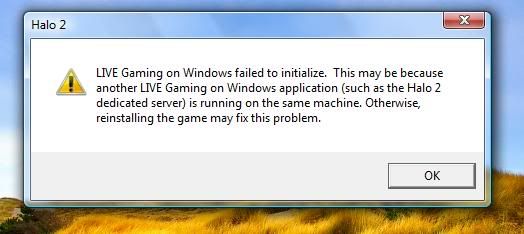
Try this (must be account that has administrator rights)
1. Go to command prompt ... Start Menu-->All Programs-->Accessories-->Command Prompt(Right Cilick-->Run as administrator)
2. type "net stop cryptsvc" and Enter.
3. Go to windows System32 folder and rename "catroot2" to "catroot2_temp"
4. Go to command prompt again as above and type "net start cryptsvc" and Enter.
5. Go to Control Panel-->Administrative Tools-->Services and make sure "Cryptographic Services" Srartup type: Automatic . And click Start if not service status: Started .
Hope this helps... Let me know how this went..

 🚀 Google AI PRO – 18 Months | Rs. 850 Only
 🔒 NordVPN Premium – 3 Months
 🚀 Microsoft Office 365 Pro Plus – Lifetime Access! 🚀
 Colombo YEYE 3 in 1 Instant Coffee Mix 50 Sachet