


Here's a list of procedures to make your torrents to get downloaded at maximum possible speeds (depending on your internet connection).
This can specially help the people who are quite new to torrent downloading. These are fairly simple procedures but vital at the same time.
(If you have NO clue about what torrents, seeds, leechers, bit-torrent clients are then please google or check on wikipedia)
-------------------------------------------------------------------------------
Basically there are few things you should be aware of....
1. The max. possible downloading speeds obviously depend on the type of internet connectivity you have.
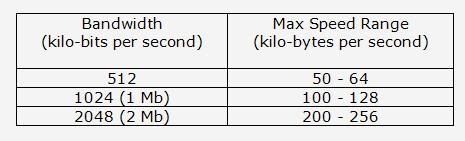
2. Finding torrents with healthy ratios (Seeds greater than Leechers) alone would not work to get max speeds in downloading the particular file needed.
Port forwarding is quite important to be done in routers and firewall software.
3. Port forwarding cannot be configured in ADSL MODEMS!!
-------------------------------------------------------------------------------
The three important things to do
1. Getting to know which port number your particular bit-torrent client uses
2. Forwarding that port number in your router
3. Forwarding that port number in your firewall software
-------------------------------------------------------------------------------
There's a quite popular site named portforward.com where you find detailed guides to configure your bit-torrent client (utorrent or azureous or bitcomet etc) depending on the exact router, firewall software you have.
>> Router guides
>> Firewall Software guide NOTE - The firewall software listed in this link are the commonly used ones you get today.
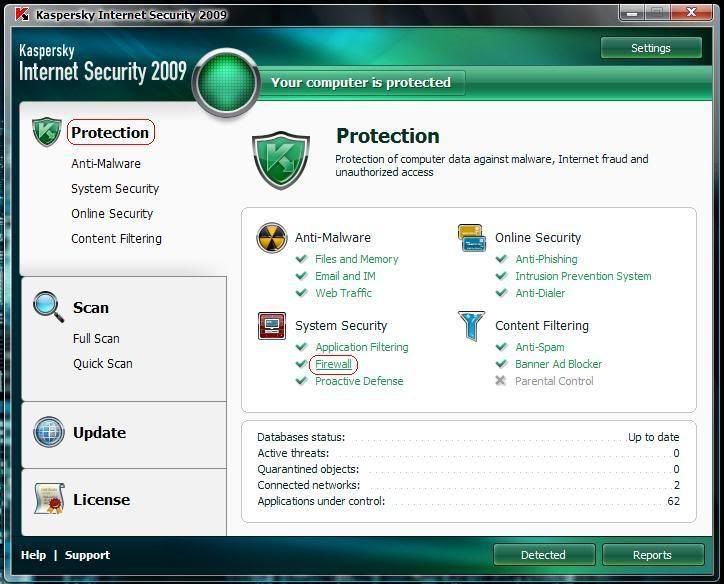
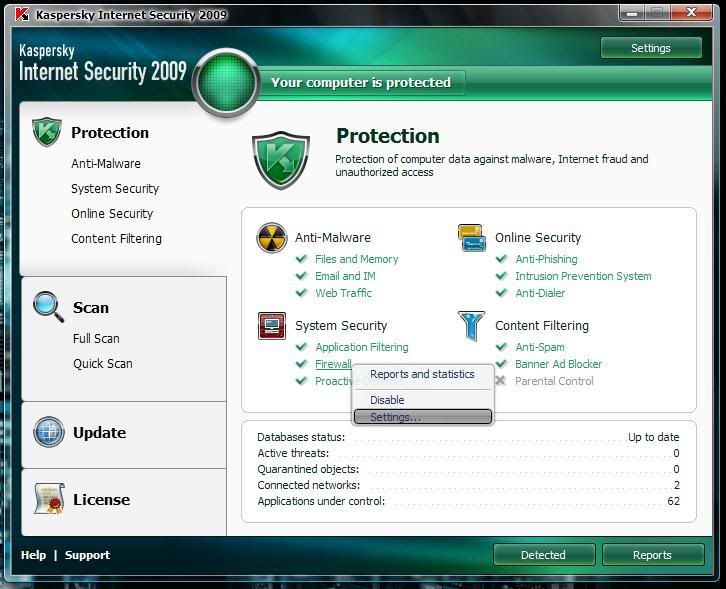
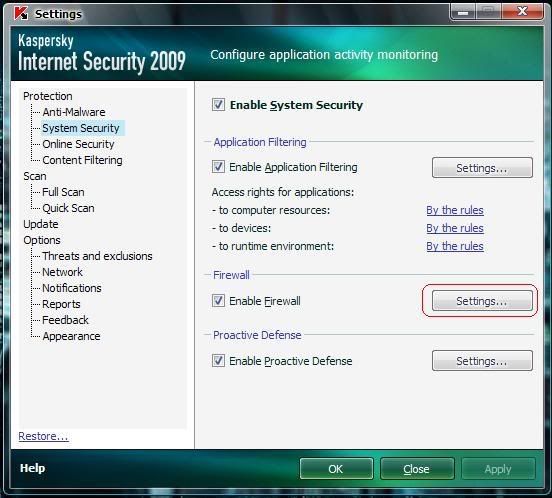
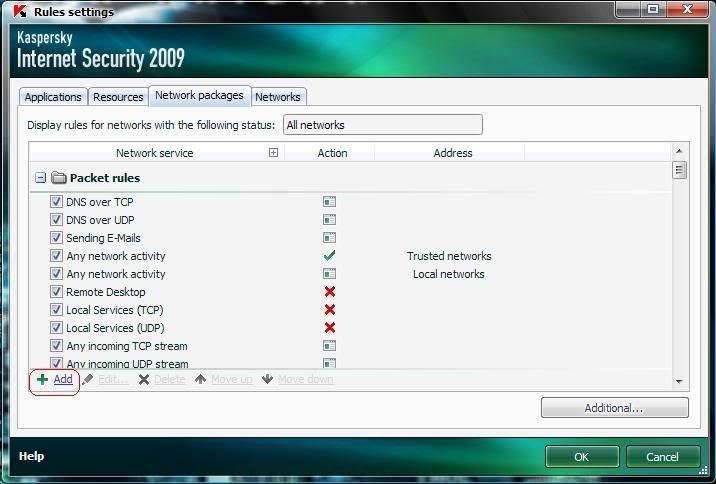
BUT the site does not have a guide to set up in Kaspersky Internet Security (KIS) 7.0 or 8.0 (which comes with firewall)
So I'll show you guys a step-by-step screen shots on how to do the necessary configurations in KIS 7.0 & KIS 8.0 along with a video clip demonstrating how to do the port forwarding in a given router and a bit-torrent client
-------------------------------------------------------------------------------
In this video clip demonstration the following are been used;
Connection - 512 kbps (max. speed range 50-64 kBps)
Router – US Robotics Model 9107
Bit-torrent client – utorrent 1.7.7
This will show ;
1. Checking the network status and the downloading speed of utorrent before port forwarding.
2. How to get the port number from utorrent
2. How to find the ip addresses (the router used and of the computer)
3. Accessing the router
4. Forwarding the port number in the router
5. Again checking the network status and the downloading speed of utorrent after port forwarding.
--------------------------------------------------------------------------------
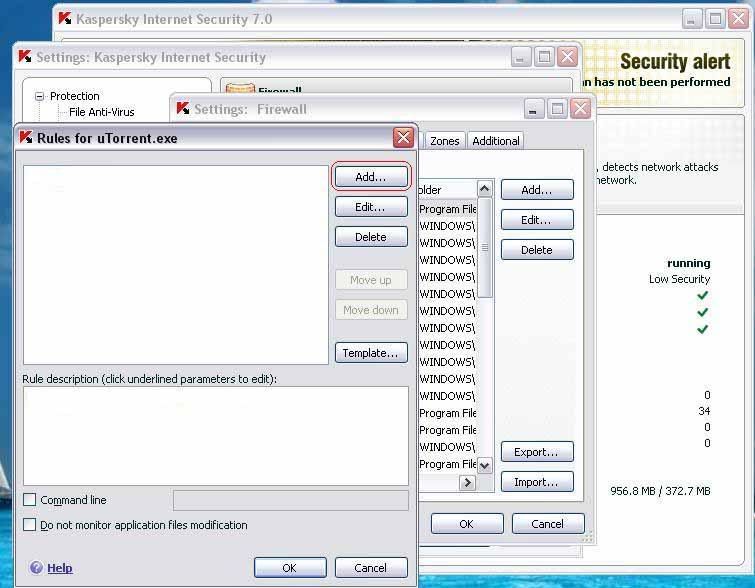
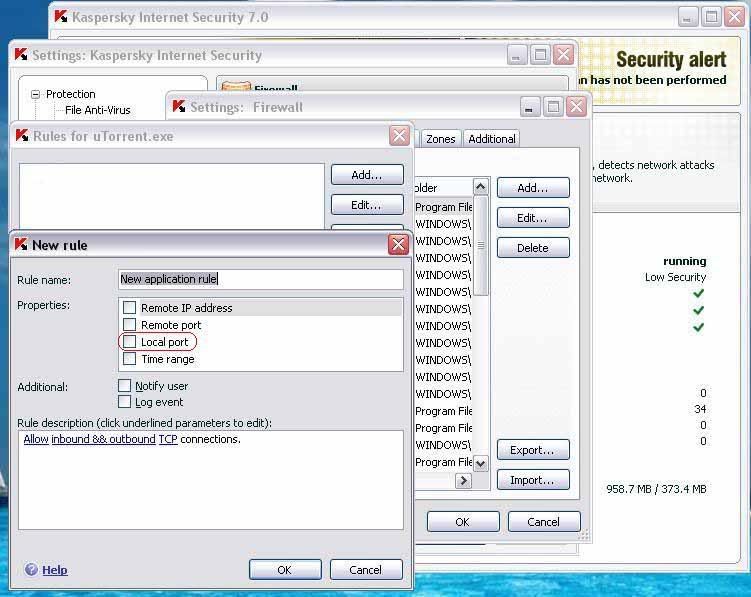
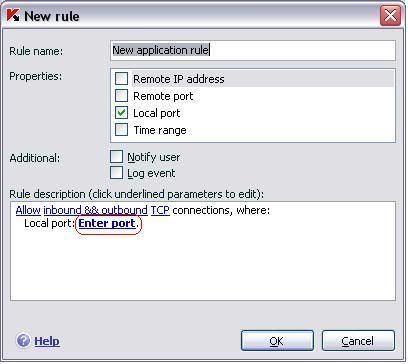
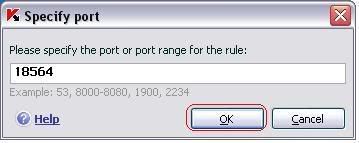
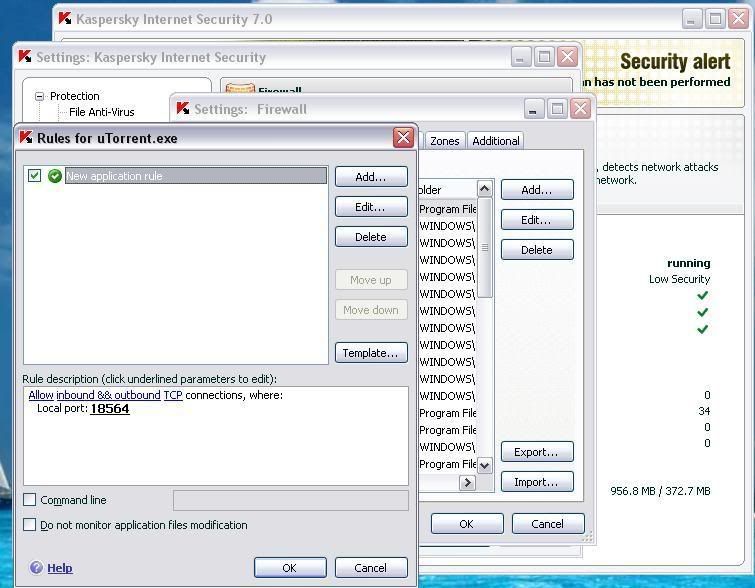
Port forwarding in Kaspersky Internet Security 7.0
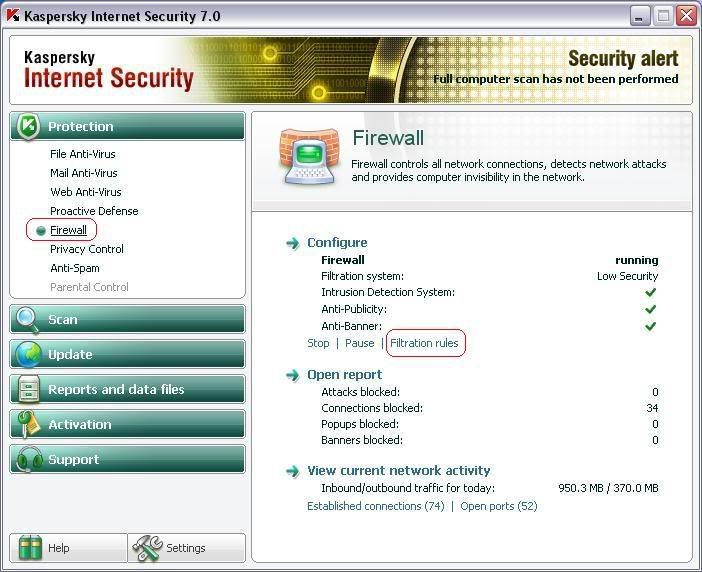
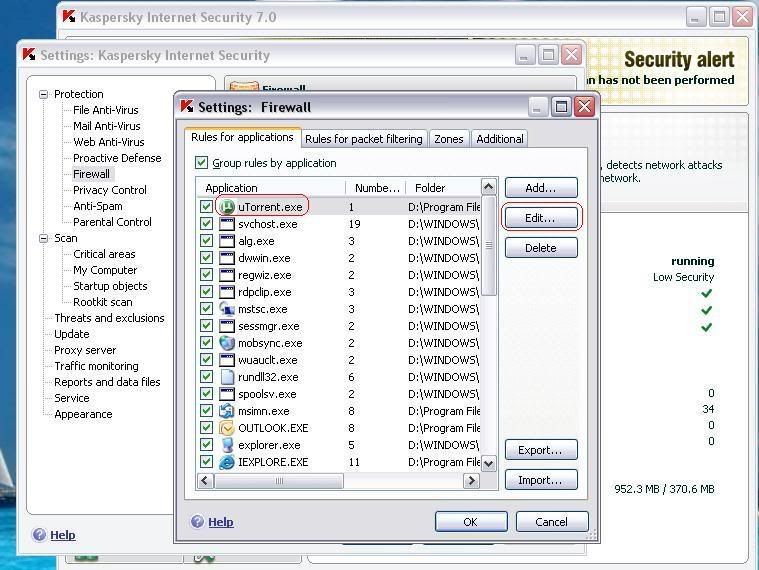
(If bit-torrent client (utorrent) not displayed in the list then click ADD and select the client from the installed location)
--------------------------------------------------------------------------------
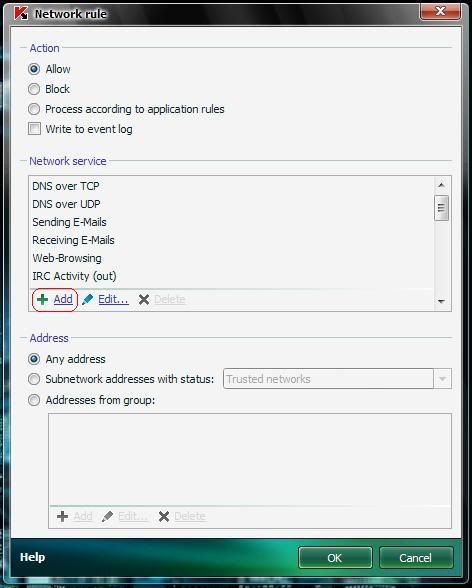
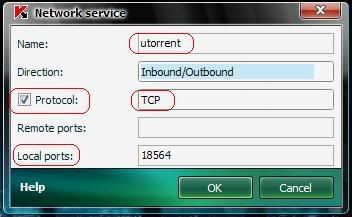
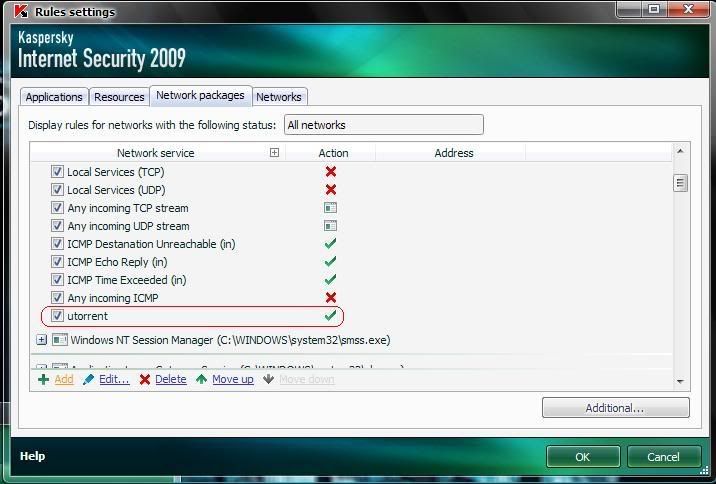
Port forwarding in Kaspersky Internet Security 8.0 (2009)
** Thanks a bunch *danushka*, nuwa1, buddhika19 for the support you guys gave

Last edited:


 Ekama thamai macho hethuwa meh thread eka danna


